
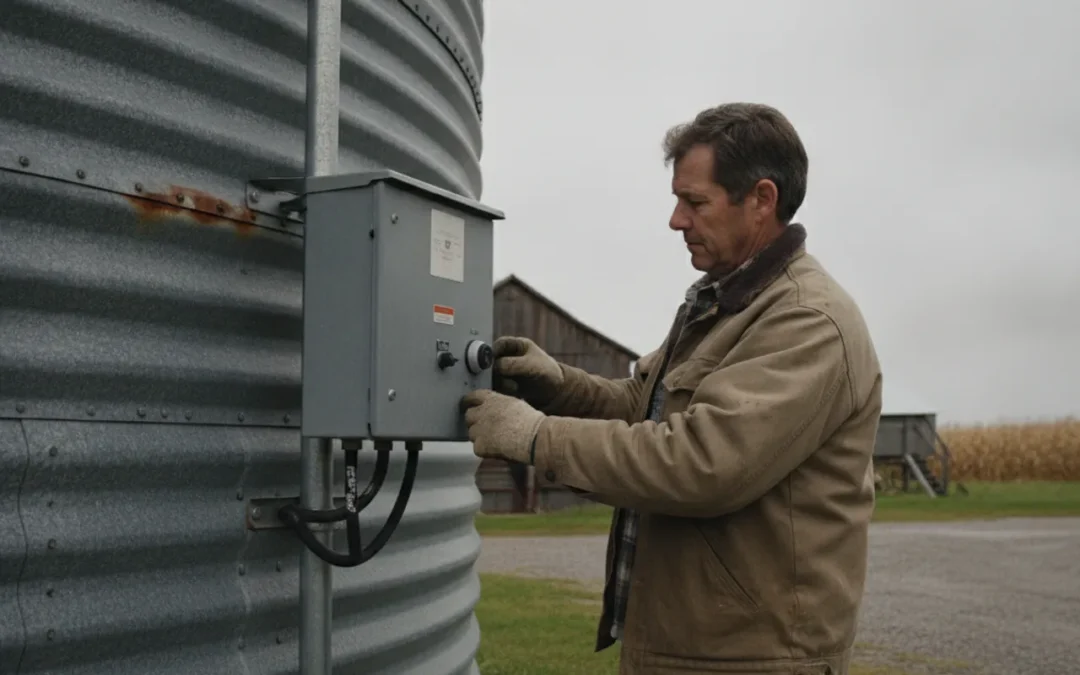
When a grain bin fan will not start, it can be hard to tell whether the issue is the controller, its power supply, the fan, or a condition that is preventing operation. This grain bin fan controller troubleshooting guide starts with low-risk observations, helps you narrow down the fault, and shows when to stop and call for qualified help.
Talk with Farm Shop MFG about your setup
What should you identify before checking the controller?
Begin by describing exactly what happened. The fan is not working can mean several different things: the controller display is blank, the display is on but the fan does not run, the fan runs only in manual mode, or the system starts and stops unexpectedly. The distinctions matter because the controller and fan have separate jobs, and troubleshooting is more efficient when you follow the evidence rather than changing several settings at once.
Record the basics before touching settings. Note the bin number, crop, approximate fill level, controller model, fan model if known, and the time the issue began. Write down any recent changes, such as a power interruption, wiring or equipment service, a moved sensor, a change to operating settings, or a recent grain movement. A short timeline can help a technician identify a pattern and decide what information to request next.
- Is the controller display blank? Start with observations about the controller power source and visible condition.
- Is the display active, but the fan stays off? Check the selected mode, displayed readings, and whether the system appears to be calling for operation.
- Does the fan start but stop, cycle, or behave differently than expected? Record the conditions and timing. Do not assume that every cycle is a fault.
- Is there a smell, unusual sound, heat, smoke, visible damage, or a tripped protective device? Stop. Keep clear and get qualified electrical or equipment service.
Photograph the display and visible controller condition if it is safe to do so. Do not remove covers to take a picture. If an alarm or status message appears, copy it exactly rather than relying on memory. Those simple notes preserve useful evidence, especially if the display changes after a reset or power interruption. Write down the time and what the fan was doing, because a single reading without context may be difficult to interpret later.
Which safety checks come first?
Grain fans and controllers involve electrical equipment, and bin sites may have moving machinery, dust, ladders, and weather exposure. Use the equipment manual and the safety procedures for your farm. Keep clear of fan openings and moving parts. Do not reach into a fan, open an electrical enclosure, touch conductors, or work on energized equipment as part of a first check.
Do not bypass a disconnect, fuse, overload, interlock, sensor, or other protective device to make the fan run. Do not repeatedly reset a breaker or protective control that trips again. A tripped device is a warning to investigate, not an invitation to defeat the protection. If you see damaged wiring, water in or around electrical equipment, scorching, unusual heat, smoke, or smell burning, stop and contact an appropriately qualified electrician or equipment technician.
Before examining any external switch or disconnect, follow the equipment instructions and your farm lockout and electrical-safety procedures. If you are unsure whether a check is safe, leave it to a qualified person. You can still collect useful information from outside the enclosure: the display state, alarm text, indicator lights, selector position if it is plainly visible, and whether the fan can be heard or seen operating from a safe location. If severe weather, a wet work area, or poor visibility makes observation unsafe, wait for safe conditions or ask a trained person to assess it.
How can you tell whether the controller has power?
If the screen is blank, first look for signs that the equipment has lost power without opening a panel or testing live wiring. Check whether there has been a known outage, whether other equipment on the same supply is affected, and whether an external disconnect or switch appears to be in its normal position. Only operate an external control if the manual identifies it and you are authorized to do so. Do not remove a cover to inspect a fuse or wiring.
A blank display does not by itself prove the controller has failed. Possible causes can include a supply interruption, an open protective device, a connection problem, or a controller fault. Because distinguishing among these may require electrical testing, write down what you observed and ask a qualified technician to check the supply and equipment according to the manufacturer instructions. Avoid repeated power cycling unless the manual specifically directs you to do so.
If the screen is lit, note whether the numbers or indicators look stable, whether a message is present, and whether the readings make sense compared with what you know about that bin. Avoid assuming a sensor reading is correct simply because a number appears. If you have a separate measurement or monitoring process, compare only readings taken under reasonably similar conditions and record the time and method. For background on monitoring, see Farm Shop MFG overview of grain-bin temperature and humidity monitoring. A difference between readings is a question to document, not permission to disconnect a sensor or change wiring.
What should you check when the display is on but the fan stays off?
Work from the least invasive checks to the more technical ones. Read the controller displayed status and compare it with the manual. Look for a mode selection, schedule, setpoint, alarm, or other condition that the manufacturer says affects operation. Do not change several values to see what happens. If you adjust an authorized user setting, record its original value first and follow the operating guidance for the crop and bin.
Some fan controls make decisions based on temperature and humidity conditions. The controller may therefore remain idle when its programmed conditions for running are not met. That behavior is different from a controller that has no power or a fan that has failed. Check the current display against the controller instructions and the operating plan for the bin; do not treat a fan that is off at one moment as proof of a fault.
Confirm, from the manual and visible controls, that the system is in the intended operating mode. A manual or automatic selection, seasonal setting, schedule, or sensor input may affect whether a run request is made. The exact names and logic vary by equipment. If the reading or status is unclear, take a photo and ask the manufacturer or technician to interpret it rather than guessing at undocumented settings.
When the manual identifies a condition that should allow operation, compare that condition with what the display shows at the same time. Record the values and status rather than trying to force the controller to run. If conditions are changing, take more than one observation with the time noted; a single snapshot may not explain a controller that uses thresholds or cycles. Do not treat this as a reason to delay action if grain management or safety is at risk. Follow the farm storage plan and ask an experienced grain-management professional for guidance on the bin, crop, and current conditions.
Also separate a control decision from a measurement question. A fan may stay off because the controller criteria are not met, or because the system is not reading the conditions accurately; a display message, manual, and safe comparison can help clarify what question to raise. Do not disconnect or relocate a sensor to test the theory. Note visible damage or a moved sensor, and let an authorized technician inspect connections and placement.
Controller setpoints and cycles are specific to the controller, stored crop, and management plan. Kansas State University questions and answers about aeration controllers discuss cycle programming, but they do not diagnose a particular fan electrical fault. Use the document and your equipment manual for their intended scope, and do not copy a setting from another bin without confirming that it fits your system. Read the publication at Kansas State University Extension.
Could the problem be at the fan rather than the controller?
Yes. A controller can appear normal while a fan, motor, disconnect, protective device, or connection has a problem. Conversely, a fan may be in good condition but receive no run command because the control conditions have not been met. The first checks are about identifying which side of that divide the evidence points toward, not repairing electrical components yourself.
From a safe position, listen for whether the fan attempts to start, runs briefly, or remains silent. Note any unusual vibration or noise, but do not approach moving parts or remove a guard. If the controller indicates that operation should be requested but the fan does not run, report that detail to the technician. Do not repeatedly force a start or switch modes to test the motor. If a fan starts and then stops, note how long it ran and whether an alarm appeared.
If the fan runs but the bin does not seem to be getting the expected airflow, that is a different problem from a controller that will not turn on. Avoid diagnosing airflow from sound alone. Record the fan and controller status, and have a qualified person inspect the fan, airflow path, and equipment setup using the appropriate procedure. For related context, review the difference between grain drying and aeration.
What do common symptoms suggest?
The table below is a triage aid, not a fault code list. Exact indicators and permitted user checks depend on the model. Use the manual for your specific equipment and stop if a check requires opening an enclosure, testing live electrical parts, or bypassing a safety device. The purpose is to organize observations and choose who should assess the next step, not to identify a component to replace based on one symptom.
| What you observe | Low-risk first check | What to do next |
|---|---|---|
| Controller display is blank | Note outage history and visible external switch or disconnect position, if safe to view. | Have a qualified person verify the power supply and controller. Do not open the enclosure. |
| Display is on; fan remains off | Read the mode, status, alarm, and displayed conditions against the manual. | Record whether the system appears to call for operation; request service if it does and the fan stays off. |
| Fan runs in one mode but not another | Record the mode and conditions when each observation occurred. | Ask the equipment provider to review the mode logic and settings before changing them. |
| Fan starts and stops unexpectedly | Write down times, displayed readings, alarms, and any recent power interruption. | Use the manual to assess expected cycling; seek service if behavior is abnormal or accompanied by a warning. |
| Protective device trips, or there is heat, smoke, damage, or burning smell | Do not reset, touch, or continue testing. Keep people clear. | Stop operation and contact qualified electrical or equipment service. |
What should you avoid changing during first checks?
A controller can have several settings that look similar but perform different jobs. Depending on the design, those may include a target condition, a differential, a timer, a fan mode, or an alarm limit. Changing them without understanding how the controller uses them can create a second problem and make it harder to explain the original symptom. Do not copy numbers from a neighbor bin or an online discussion: crop, moisture, weather, fan capacity, bin conditions, and equipment design can differ.
Before changing any setting, consult the specific manual and the farm grain-management plan. If the manual clearly identifies a user adjustment that you are authorized to make, write down the existing value, change only the parameter you understand, and record the time and result. If the display or instructions are ambiguous, leave the setting as it is and ask the manufacturer or a qualified service provider. Avoid experimenting with safety limits, motor protection, wiring, or sensor connections.
Do not assume an alarm can be ignored because the fan sometimes operates, or that a quiet fan must be controlled by a bad sensor. An alarm may point to a condition that requires attention, while a fan that is idle may be waiting for its programmed criteria. Keep the alarm text and current readings in your notes. If grain condition is a concern, follow your established monitoring and management plan while arranging help; a controller check alone cannot establish that grain is safe or in good condition.
What information should you gather before calling for service?
A clear report shortens the back-and-forth and helps the service person decide what to inspect. Keep it factual. Include the controller and fan make and model if available, the bin identifier, crop, when the problem began, and whether the fan has operated normally since the last service. Note recent storms, outages, maintenance, grain movement, and setting changes if they are relevant.
- Describe the symptom precisely: blank display, active display with no fan, unexpected cycling, alarm, or fan operation without expected airflow.
- Record the exact alarm or status text, along with the date and time.
- List readings shown on the display and note whether they changed during observation.
- State what safe, manual-approved checks you made and what happened. Do not report a protective device as fixed if it was repeatedly reset.
- Share photos of the outside of the equipment and the display only when they can be taken safely.
- Say whether the equipment is currently shut down and whether you observed heat, smoke, damage, or unusual sound.
If you need to review the broader system before a service conversation, Farm Shop MFG explains its EndZone fan control and provides product information for the EndZone controller. The product is described as an automated grain-bin fan control system that uses temperature and humidity parameters to control when fans operate. Confirm compatibility, installation details, and operating settings for your own bin and fan directly with the manufacturer or a qualified installer.
When is automated fan control worth reviewing?
If your current controller is unreliable, difficult to monitor, or does not match the way you manage moisture, it may be worth reviewing the control setup after the immediate issue is made safe. Start with the job you need the system to do. Are you looking for automatic fan operation based on temperature and humidity parameters? Do you need to know which readings the system uses, what conditions permit a fan cycle, and how you will review its status?
Those questions help separate a repair from a replacement decision. A fault in a power supply or fan may not be solved by replacing the controller. A working controller may also be operating as configured, even if its mode or settings do not align with your management plan. First establish what has failed or what behavior you want to change, then compare options using the bin, crop, fan, electrical setup, monitoring needs, and installation requirements.
Farm Shop MFG article on questions to ask about automated bin fan control can help structure that review. You can also browse the company grain storage and equipment resources. For a discussion of grain quality practices, see its guide to keeping grain from spoiling. These resources do not replace the fan or controller manual, the bin management plan, or professional service.
Request a conversation about your fan-control setup
Frequently Asked Questions
Should I reset the controller first?
Not automatically. A reset can clear useful alarm or status information, and it will not correct a damaged connection, failed fan, or unsafe electrical condition. Record the current display and consult the specific controller manual before following any reset procedure. Do not reset a protective device that trips again.
Can I switch the fan to manual mode to test it?
Only if the equipment manual permits that check, you are authorized to do it, and the bin and fan are safe to operate under the conditions in place. Manual operation may bypass the controller normal decision process, so it should not be used casually as a diagnostic shortcut. Never bypass an interlock or other protection.
Why does the controller show readings if the fan does not run?
A displayed reading can show that some parts of the system are active, but it does not prove that the fan has power or that a run condition has been met. Check the displayed mode, status, and alarm against the manual. If the controller appears to call for a fan and it does not respond, share that observation with a qualified technician.
When should I stop troubleshooting?
Stop immediately if you notice smoke, a burning smell, unusual heat, visible damage, water around electrical components, a repeatedly tripping protective device, or any condition that would require opening an electrical enclosure or touching wiring. Keep clear and call qualified service. When in doubt, the manual and a trained technician are safer than trial and error.
A structured check can help distinguish a settings question from a power, controller, or fan fault, but it cannot replace safe service work. Record what you observe, protect people and equipment first, and confirm the next step with the appropriate manual, manufacturer, or qualified technician.